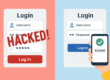
🔐 Top 10 Cybersecurity Terms Every Beginner Should Know
Cybersecurity can feel like a foreign language when you’re just starting out—full of acronyms, tech jargon, and complex-sounding concepts. But don’t worry—we’ve broken it down.
Here are the Top 10 must-know terms to help you navigate the basics of digital security.
1. Malware
Short for malicious software, malware refers to any program designed to damage or infiltrate your system.
🦠 Examples: viruses, worms, Trojans, ransomware, spyware.
🔍 Malware is often disguised as legitimate software or attachments.
2. Phishing
A deceptive attack where a hacker tricks you into revealing sensitive information, usually via fake emails or websites that look legitimate.
📧 Example: An email that looks like it’s from your bank asking for your password.
3. Firewall
A security barrier between your device/network and the internet. It blocks unauthorized access and filters incoming/outgoing traffic.
🔥 Think of it as your digital security guard.
4. Encryption
The process of converting readable data into unreadable code to prevent unauthorized access.
🔐 Used in messaging apps, banking, and websites with HTTPS.
Without the correct key, encrypted data looks like gibberish.
5. VPN (Virtual Private Network)
A service that hides your IP address and encrypts your internet traffic, helping protect your identity and location online.
🌍 Great for public Wi-Fi and anonymous browsing.
6. Two-Factor Authentication (2FA)
An added layer of security requiring two steps to verify your identity—like a password plus a phone OTP.
✅ Also known as MFA (Multi-Factor Authentication).
Even if your password is stolen, 2FA adds a crucial barrier.
7. Zero-Day Vulnerability
A previously unknown flaw in software that hackers exploit before the developer patches it.
⏱️ Dangerous because it hits before anyone knows the problem exists.
8. Social Engineering
Manipulating people (rather than systems) to gain access to private info.
🎭 Examples: impersonating IT support, urgent fake phone calls.
9. Botnet
A network of infected devices (bots) controlled by an attacker to launch mass attacks—like DDoS (Distributed Denial of Service) attacks.
🤖 Your computer could become part of one without you even knowing.
10. Patch Management
Regularly updating software to fix bugs and close security holes.
🔄 Critical to prevent cybercriminals from exploiting known vulnerabilities.
🧠 Final Thoughts
Understanding these cybersecurity basics helps you stay informed, alert, and safe online. Whether you’re a student, remote worker, or just browsing for fun—cyber awareness is your best defense.
Next time you hear someone talk about phishing or VPNs, you’ll know exactly what they mean. 😉